
 fivem
fivemHow to Install MLO in FiveM – Complete Step-by-Step Guide for ESX, QBCore & Standalone (2026)
 kernel_cpu
What Is an MLO in FiveM?
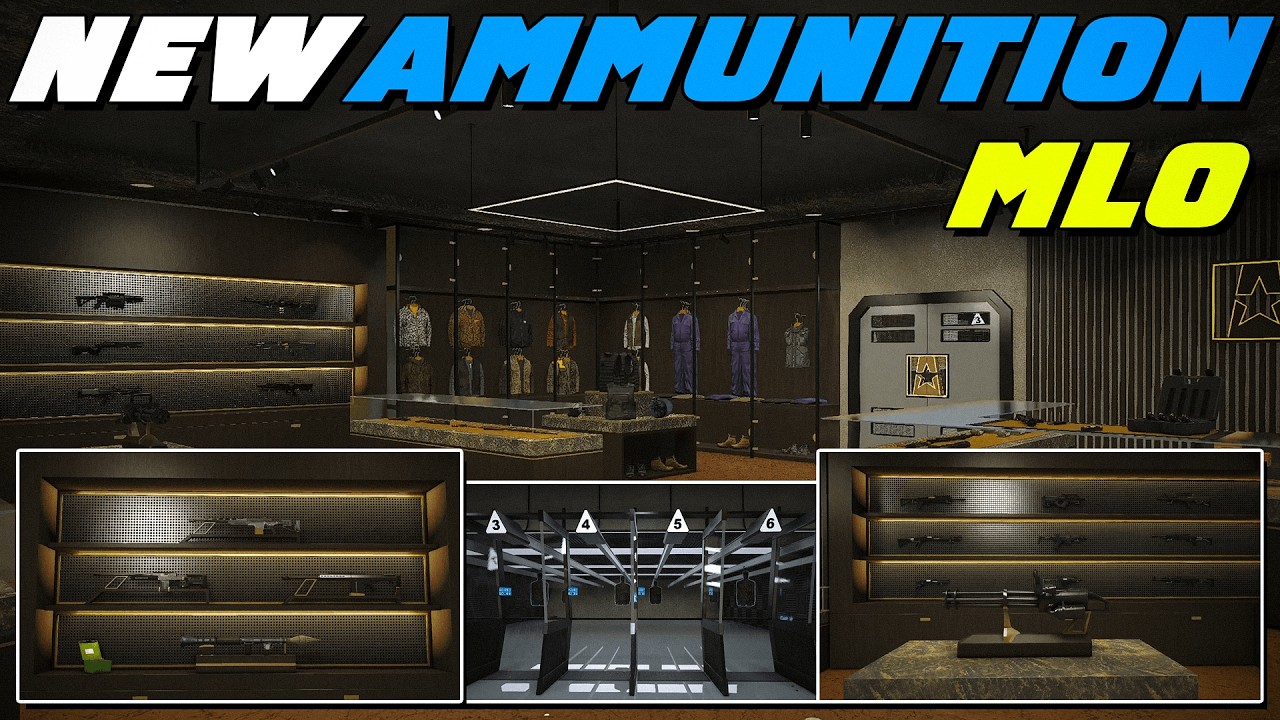
MLO stands for Multi-Level Object — it's a custom-built interior, building, or map asset for FiveM roleplay servers. Unlike vanilla GTA V, MLOs let you create fully enterable, detailed locations like:- Police stations & hospitals
- Nightclubs & bars
- Shops & gas stations
- Gang hideouts & drug labs
- Mansions & apartments
- Mechanic shops & car dealerships
If you're running a FiveM RP server, MLOs are the #1 way to make your world feel unique and immersive — and keep your players engaged.
Why You Should Install MLOs on Your Server
| Benefit | Why It Matters |
|---|---|
| Player retention | Custom locations give players reason to explore |
| Server identity | Stand out from hundreds of generic servers |
| Roleplay depth | Dedicated interiors for specific RP scenarios |
| Monetization | Sell or lease premium MLOs to players |
| Community growth | Unique map = word of mouth & Discord invites |
Did you know? FiveVault hosts 2,800+ free and premium MLOs — all compatible with ESX, QBCore, OX Core, QBOX, and standalone. Browse all MLOs →
Prerequisites
Before you start, make sure you have:
| Requirement | Details |
|---|---|
| FiveM server | Any artifact (recommended: build 6016+ for modern MLOs) |
| Server access | SFTP (FileZilla, WinSCP) or direct file manager |
| A downloaded MLO | Download from FiveVault |
| server.cfg access | To add the ensure line |
| Framework | ESX, QBCore, QBOX, OX Core, or standalone |
Step 1: Download Your MLO
Go to FiveVault MLOs and pick an MLO that fits your server theme. Most MLOs on FiveVault are free — premium ones start at just $15.
Pro tip: Always check the framework tag. If it says "Standalone," it works on any server. If it says "ESX" or "QBCore," it may have framework-specific config files.Step 2: Locate Your Server's resources Folder
Connect via SFTP or open your server dashboard file manager. Navigate to:
server-data/
└── resources/
This is where all your custom content lives. If you use txAdmin, the path typically looks like:
/opt/ts/cfx-server-data/resources/Or on a local server:
C:/FXServer/server-data/resources/resources/
└── [mapmods]/This keeps all your map mods in one place and makes troubleshooting easier.

Step 3: Upload the MLO Files
- Extract the downloaded
.zipor.rarfile on your computer. - Find the FiveM folder — it must contain a
stream/folder and anfxmanifest.luafile. - Upload the entire folder into
resources/[mapmods]/on your server.
Your MLO folder should look like this:
resources/
└── [mapmods]/
└── my-awesome-mlo/
├── stream/
│ └── ... (ydr, ytyp, ymap files)
├── fxmanifest.lua
├── __resource.lua (older format)
└── data/
└── ... (config files if needed)
Warning: If the folder is missingfxmanifest.luaorstream/, the MLO will not load. Check your download integrity.
Step 4: Add the MLO to server.cfg
Open your server.cfg file — it's in the root of your server-data directory. Add this line:
ensure [mapmods]/my-awesome-mloOr if you placed it directly in resources/:
ensure my-awesome-mlospawnmanager, sessionmanager, and your framework (ESX/QBCore).
Example server.cfg snippet:
# Essential resources
ensure spawnmanager
ensure sessionmanager
ensure mapmanager

# Framework
ensure es_extended

# Map mods (MLOs)
ensure [mapmods]/my-awesome-mlo
ensure [mapmods]/police-station-v2
ensure [mapmods]/night-club-interior
Step 5: Restart Your Server
Now restart your FiveM server. You can do this via:
- txAdmin → Resources tab → Restart
- Command line → Type
restartin the server console - Full reboot → Stop and start the server process
After restart, join your server and teleport to the MLO location.
Step 6: Verify the MLO Loaded Correctly
Check if the MLO is running:
statusOr in txAdmin console:
ensure my-awesome-mloIf it loads without errors (green text), you're good. If you see red errors, check the troubleshooting section below.
MLO Compatibility: ESX vs QBCore vs Standalone
| Framework | Compatibility Notes |
|---|---|
| Standalone | Works on every server. No extra config needed. |
| ESX | May use ESX-specific files in data/ folder |
| QBCore | May use qb-target or qb-core config files |
| QBOX | Similar to QBCore, often compatible |
| OX Core | May need ox_target or ox_inventory integration |
esx/, qb/, or ox/ — that's framework-specific config. If you see only stream/ + fxmanifest.lua — it's standalone.
Troubleshooting Common MLO Issues
❌ MLO doesn't appear in-game
Solution: Make surefxmanifest.lua exists in the root of the MLO folder. Check server.cfg for typos.
❌ Invisible walls / can't enter
Solution: The MLO may need room portals. Re-download from a trusted source. Some free MLOs have broken portals.❌ "Resource not found" error
Solution: The folder name in server.cfg must exactly match the folder name on your server. Case-sensitive on Linux!❌ Textures / textures missing
Solution: You're missing streamed assets. Re-upload the full folder. Some MLOs require additional dependencies.❌ Server crash after adding MLO
Solution: The MLO may be corrupted or incompatible. Remove theensure line, restart, and try a different MLO.
❌ Framework errors (ESX/QBCore)
Solution: The MLO may require a specific inventory or target system (ox_target, qb-target, qs-inventory). Install the required dependency.
Video Tutorial
For a visual walkthrough, check out this installation video:

Recommended MLOs for Your Server
Here are some of the most popular MLOs available on FiveVault right now:
| MLO Name | Type | Price |
|---|---|---|
| Roxwood | Mansion / Estate | $25.00 |
| Riot Store - Banner Hotel (450 Rooms) | Hotel Interior | $30.00 |
| Las Venturas | Casino / Resort | $15.00 |
| 3D Academy - New York | School / Academy | FREE |
| Vertex - Woodland Hills | Luxury Mansion | FREE |
| Vertex - Wild Horizon Haven | Wilderness Cabin | FREE |
| Vertex - Rabbit Coffee | Cafe / Shop | FREE |
| Vertex - Legendary Motorsport | Car Dealership | FREE |
Final Tips
- ✅ Organize your MLOs in subfolders like
[mapmods]— makes management easier - ✅ Test MLOs on a dev server before deploying to production
- ✅ Keep backups of your server.cfg and resources folder
- ✅ Check file integrity — corrupted MLOs can crash your entire server
- ✅ Read descriptions — some MLOs require specific inventories or target systems
- ✅ Join the community — FiveVault Discord has 4,000+ members sharing tips
Frequently Asked Questions
Q: Can I install MLOs on an existing server without wiping data?A: Yes. MLOs are additive — they don't affect player data or databases.
Q: How much storage do MLOs use?A: Most MLOs are 1MB–50MB. Some large map packs can reach 200MB+.
Q: Do MLOs affect server performance?A: Well-optimized MLOs have minimal impact. Poorly made ones can cause lag. Check the trust score on FiveVault before downloading.
Q: Can my players see MLOs without downloading anything?A: Yes — MLOs stream to players automatically when they join your server.
Have questions? Drop by our Discord — we have 3500+ members online right now ready to help.